Linux Cheatsheet
Navigation:
ls: List files and directories in a directory
cd: Change the current working directory
pwd: Display the current working directory
File Management:
cp: Copy files and directories
mv: Move or rename files and directories
rm: Delete files and directories
touch: Create an empty file
chmod: Change file permissions
chown: Change file ownership
Directory Management:
mkdir: Create a new directory
rmdir: Remove an empty directory
Process Management:
ps: Display information about running processes
top: Display real-time information about system performance and resource usage
kill: Terminate a process
bg: Send a process to the background
fg: Bring a background process to the foreground
System Information:
uname: Display information about the operating system
df: Display information about disk usage
free: Display information about memory usage
uptime: Display the system uptime
User Management:
adduser: Add a new user
deluser: Remove a user
addgroup: Add a new group
delgroup: Remove a group
usermod: Modify a user account
Package Management:
apt-get: Install, update, or remove packages on Debian-based systems
yum: Install, update, or remove packages on Fedora-based systems
dnf: Install, update, or remove packages on Fedora-based systems
pacman: Install, update, or remove packages on Arch-based systems
This cheat sheet covers only the basics of Linux system administration, but mastering these commands can go a long way in making your work easier and more efficient.
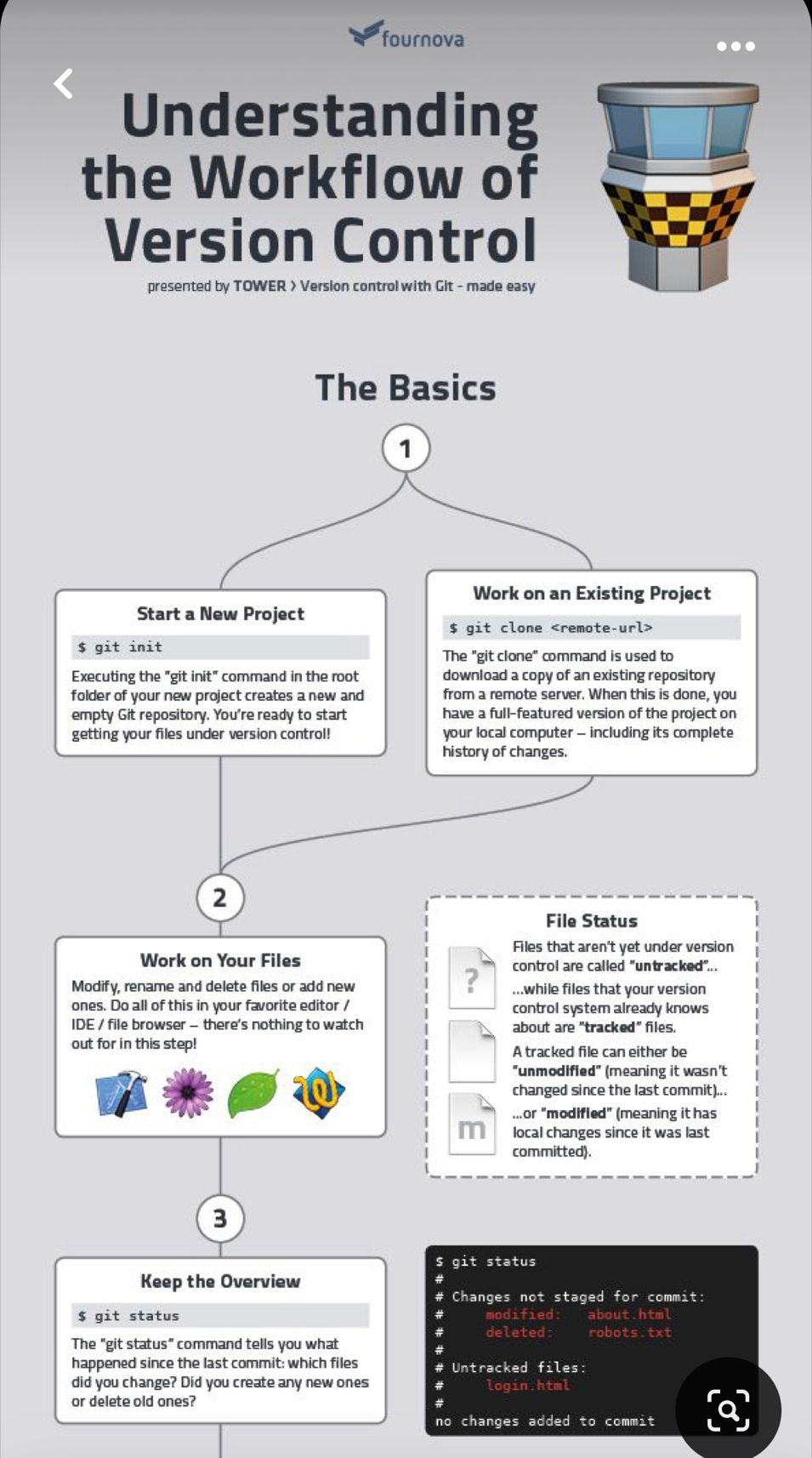
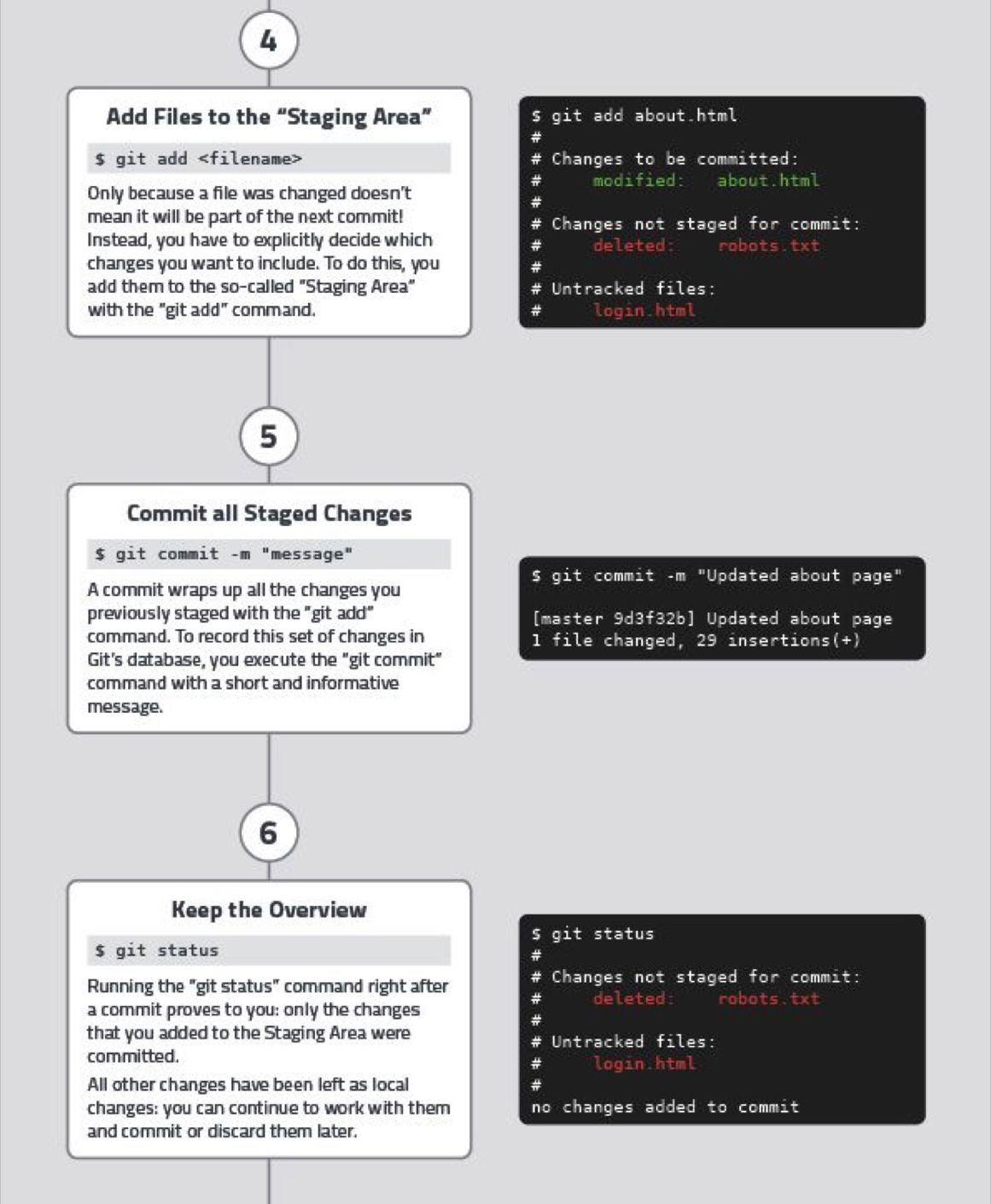
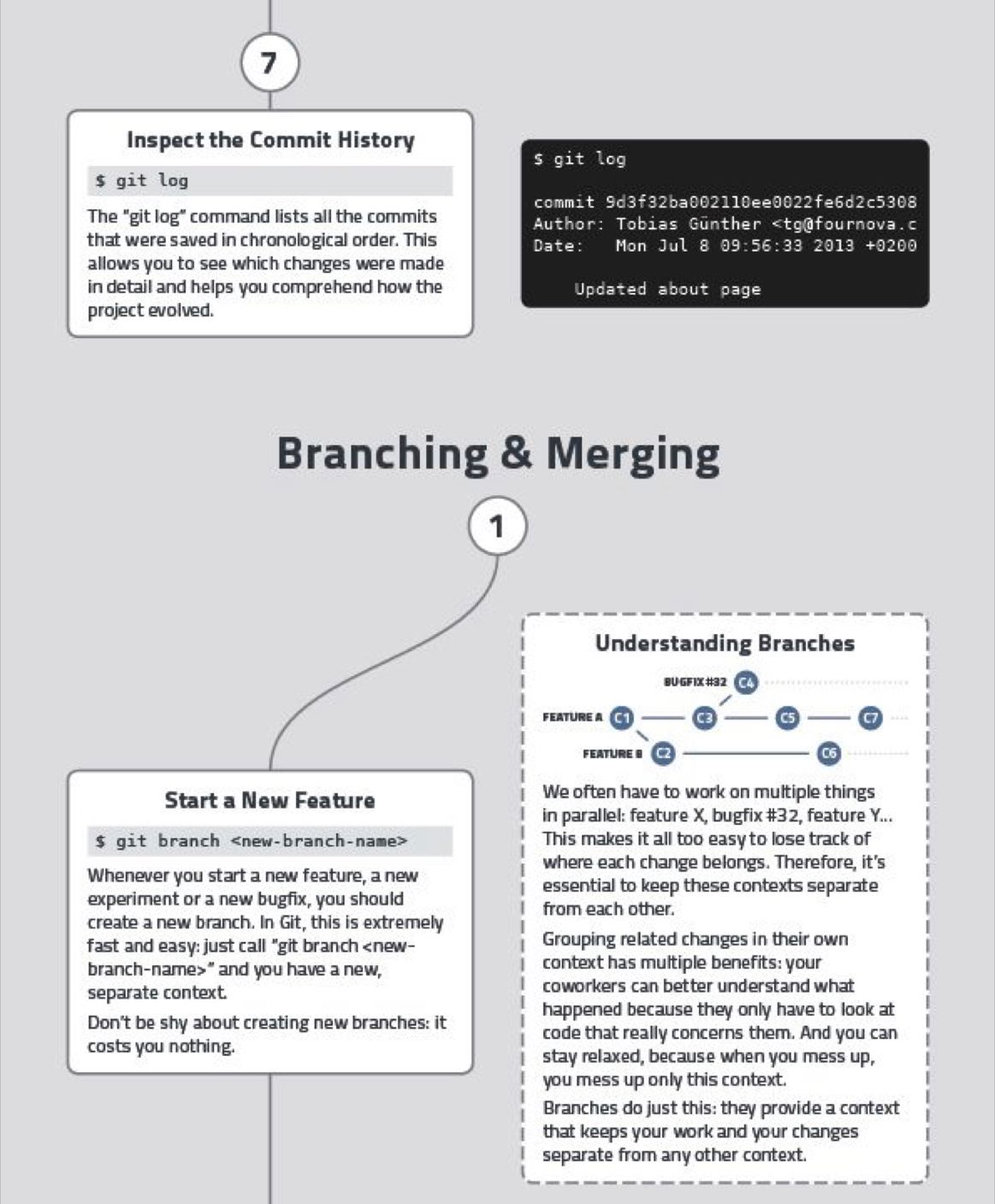
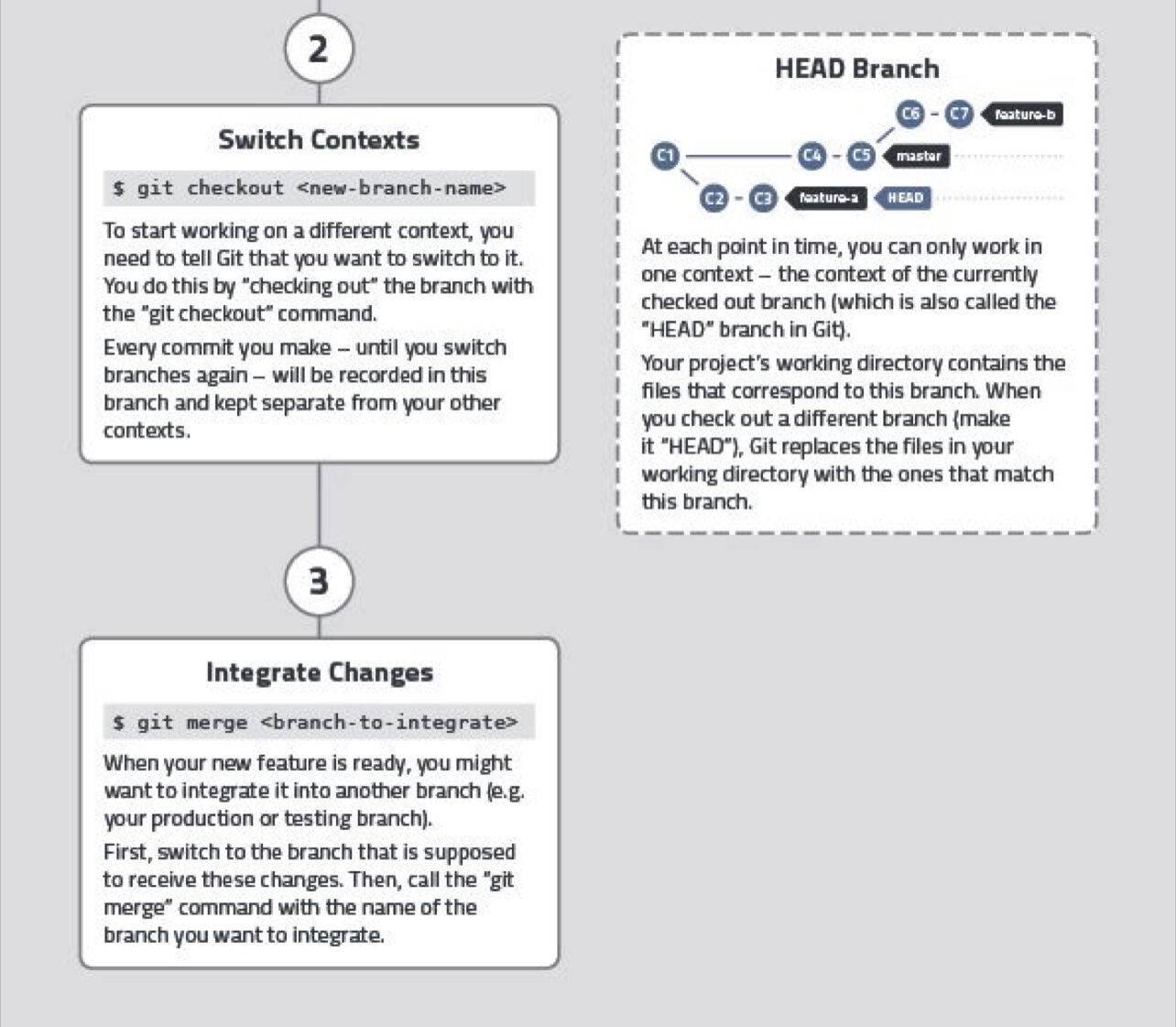
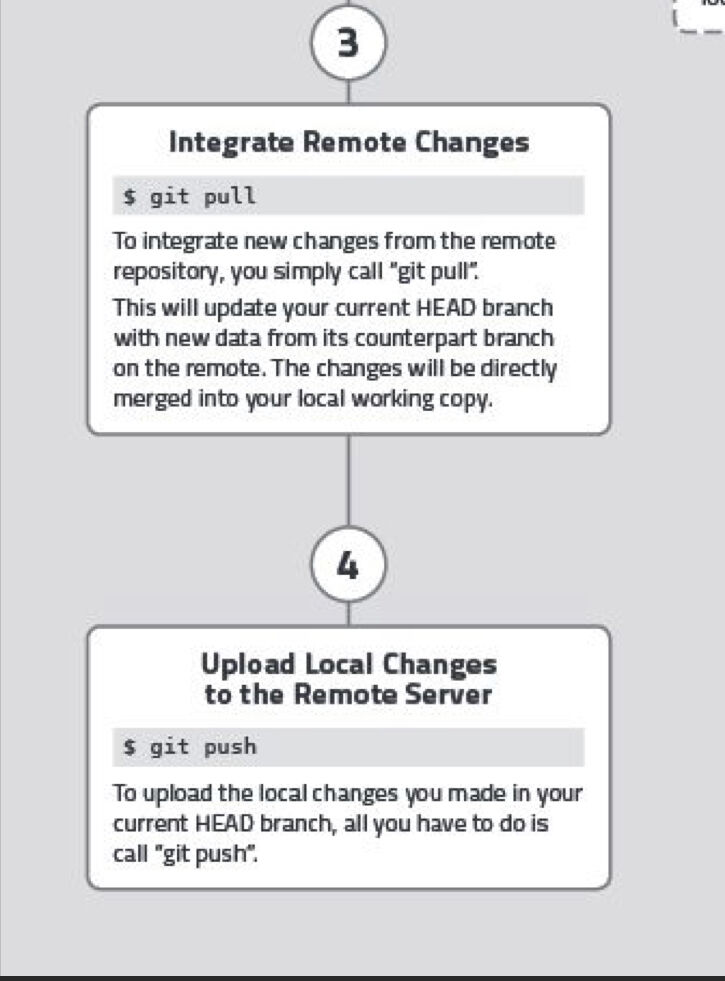
Git Cheatsheet
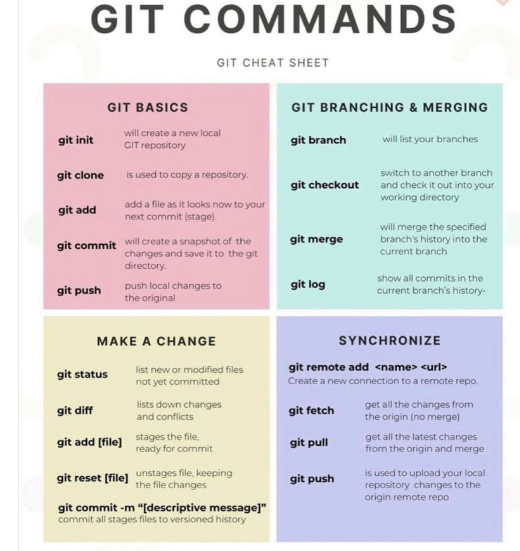
Here are some more details about the git commands and git workflow,